Muntada Group

Search

Category: Netsupport

Muntada Group > Products > Netsupport

Category: Netsupport

Muntada Group > Products > Netsupport

Classroom.cloud

by netsupport

Classroom.cloud

Easy breezy, low-cost, cloud-based classroom management and teaching platform for schools

Focus on task

Stay On Task

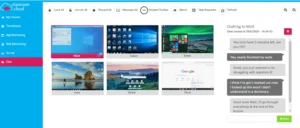
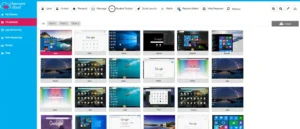
Easily monitor students’ screens, the applications they’re using, websites they’re visiting, what they’re typing, who they’re collaborating with – and help out swiftly when support is needed.

Interact and capture feedback

Interact and capture feedback

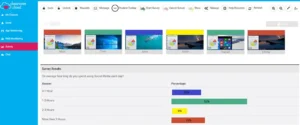
Use chat and messaging tools to interact with the class and give every student a voice, use quick polls to gain an insight into everyone’s topic understanding – and lots more!

Online

Manage online behavior

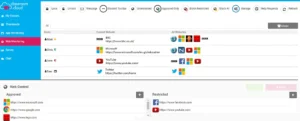
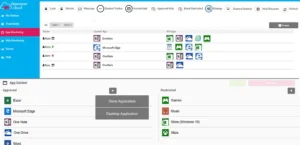
Focus students effortlessly and keep them safe online by controlling web and application use with ‘allowed’ and ‘restricted’ lists – removing the temptation of distractions and preventing access to unsuitable content.

Attention

Hey, you guys!

Need to get your students’ attention? Simply blank their screens or lock their keyboards and mice. Now you can explain the lesson activities at any time with their full concentration.

What does classroom.cloud do?

It’s the ideal cloud platform for effective classroom management and teaching, whether everyone is together in the classroom or learning remotely at home. With no swapping between solutions for the different scenarios, it’s a great way to provide continuity for students – and teachers too!

What are the Benefits of classroom.cloud?
Classroom.cloud has been developed with valuable input from teachers and the result is that it’s so simple to use. With clear, intuitive controls and the ability to interact with your virtual classroom in real time in just a few clicks, cloud-based teaching and learning has never been so easy!

Easy for teachers

The easiest classroom tool you’ll ever use, classroom.cloud lets you monitor, control, and collaborate with your students to maintain their learning continuity – in class or remotely – keeping them on target for success.

Easy for technicians

Easy to set up, configure, manage, and use, classroom.cloud virtually takes care of itself! Integrating directly with your existing infrastructure, you can deploy in minutes and manage teacher and student devices centrally – saving you a bunch of time.

Easy for schools and districts

Low cost and scalable, with clear central configuration and management, classroom.cloud is ideal for school districts. Once set up, the IT team’s involvement is minimal – and, for teachers, using its intuitive interface is a breeze!

It’s the ideal cloud platform for effective classroom management and teaching, whether everyone is together in the classroom or learning remotely at home. With no swapping between solutions for the different scenarios, it’s a great way to provide continuity for students – and teachers too!

clients

Clients say

galery

Category: Netsupport

Muntada Group > Products > Netsupport
NetSupport DNA – IT Asset Management Software in Malaysia

NetSupport DNA – IT Asset Management Software in Malaysia

ITAM - Software Inventory - Hardware Inventory - ITSM - Metering - SAM - Licensing - Contract Management - Software Compliance - Procurement - Reporting - Asset Management - Endpoint Security - SNMP - Discovery - Power Management - Web Metering - Network Management - Alerting

IT Staff

  • Hardware inventory and discovery
  • Software licence management
  • Complete power management
  • Multi-site management
  • Endpoint security and system-wide alerts
  • Plus more

Safeguarding Staff

  • Safeguarding alerts
  • Keyword monitoring
  • Student 'Report a concern'
  • Track 'at risk' student activity
  • Application and web metering
  • Plus more

Teachers

  • Real-time ICT instruction
  • Classroom assessment tools
  • Show teacher's screen
  • Hand out and collect files
  • Monitor students' screens
  • Plus more

Current Malaysian Customers

AirAsia
UMP
Parliament of Malaysia
Petronas
UniSZA
Malaysia Airlines
Content Development
MRSM
UMT

NetSupport DNA for Education - Features

Ease of Installation

NetSupport DNA is designed to deliver a complete suite of IT admin features for schools and colleges, without the expensive associated hardware purchases, implementation and initial training costs often required with alternative solutions.

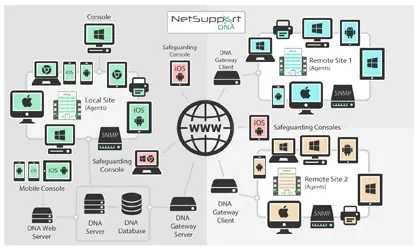
The DNA Console is simply deployed on a single Windows-based PC and, in most cases, will automatically discover and report on all devices present on the school network without additional agent installation.

Or, if preferred, for more detailed monitoring purposes and to unlock the solution's full feature set, a small footprint agent (just 4MB!) can be quickly deployed on Windows devices. This can be configured to start automatically and can run from a local drive or network location. A one-line script can also be added to existing login scripts to trigger the DNA Agent. And not only does this help ensure that the Agent will automatically launch the next time a user logs on, if the Agent is deleted accidentally or deliberately, it will automatically be restored and restarted at the next user login.

Ease of Installation

Device Auto-discovery

Receive notifications of any new devices that join the network and choose whether to deploy an agent automatically.

Once NetSupport DNA is installed and operational in your enterprise, it will start to detect and report on any devices that connect to your network. New devices will appear in the 'New' folder and full reports will be available in the console. You can then deploy an Agent directly to any Windows machines. Alternatively, NetSupport DNA can be configured to do this automatically.

DNA's Active Directory integration significantly improves efficiency by making it easy to map OUs to Departments and Users to Devices.

Device Auto-discovery

Hardware Inventory

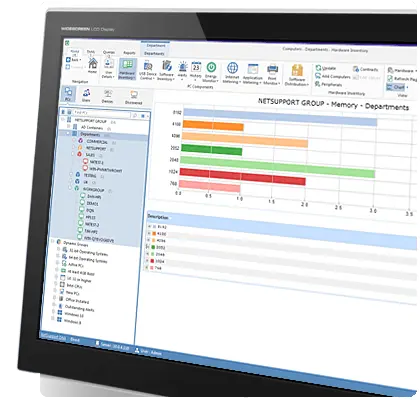
NetSupport DNA provides one of the most comprehensive and detailed Hardware Inventory modules available on the market today. A wealth of information is gathered from each device, from CPU and BIOS details to attached printers and peripherals.

The Hardware Inventory can be scheduled to update at time intervals of your choosing. This helps ensure the accuracy of the information held and helps keep you informed of any changes to device hardware. Plus, data within key views can be shown in convenient bar or pie chart formats.

DNA also provides a complete change history for each device, detailing all changes that have occurred to the inventory since it was first created. The current and previous hardware components can be viewed side-by-side, making it simple to track the changes to PCs across the school.

Hardware Inventory

SNMP Device Discovery

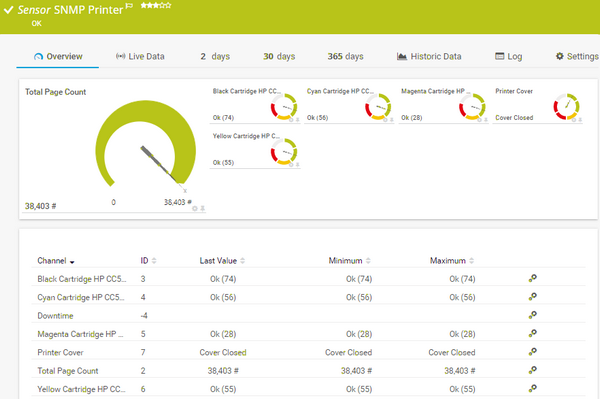
The SNMP Discovery view allows NetSupport DNA to be configured to scan a range of network addresses and report on any new network devices discovered, such as printers and access points. These items can then be added to the main tree view for ongoing monitoring.

Each time the discovery is run, the discovered list is presented for review and devices can be added to the main tree, ignored, or added to an exclusion list.

NetSupport DNA's system-wide Alerts module keeps you informed of critical changes to your network. Everything from a new hardware component being added to a PC, to unauthorised software being installed or if internet activity matches a specific safeguarding phrase, an instant alert can be triggered and delivered directly to the Console, via email or SMS.

SNMP Device Discovery

Software Inventory and Licensing

The Software Module is designed to help schools better manage licence compliance and reduce software overspend by accurately reporting installed software and proactively identifying PCs with software titles that are unauthorised, prohibited, under-utilised or simply unused.

Software Inventory is compiled as each PC connects, and NetSupport DNA can be configured to update this information at regular intervals. If a new application is detected the operator can be instantly notified via the Alerts feature. The module also provides clear identification of any software that has been previously prohibited from use across the school.

For Windows devices, DNA identifies applications from the installed application register, software shortcuts and running processes. You can build licence compliance records for popular software titles using the Software Catalogue, a resource of thousands of licence types. This helps DNA to identify not only if a title is installed but under which licences it is allowed, making Software Asset Management easier to maintain.

Software Inventory

Software Application Metering

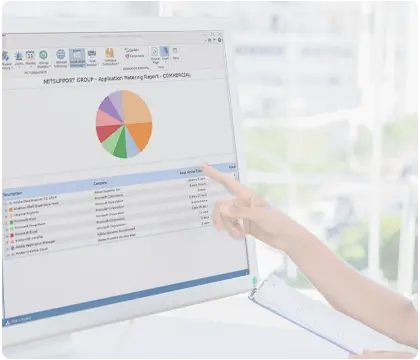
The Application Metering module reports on all applications used on each PC or server, detailing the time the application was started and finished, as well as the actual time it was active.

Metering provides a highly effective audit trail when reviewing software licence compliance as it shows when an application was last used. This enables IT administrators to easily identify applications that are licensed but never actually used and subsequently redeploy the licences where necessary.

Application Metering data can be viewed on-screen and as PDF reports, showing which applications have been used, by which user and for how long. This data can also be used when evaluating licence requirements for any new software purchases.

Application Metering

Internet Metering

Keeping our students safe online is paramount and access to new technology in education is constant. From online learning and digital resources to social media and beyond, the opportunities are countless, as are the dangers.

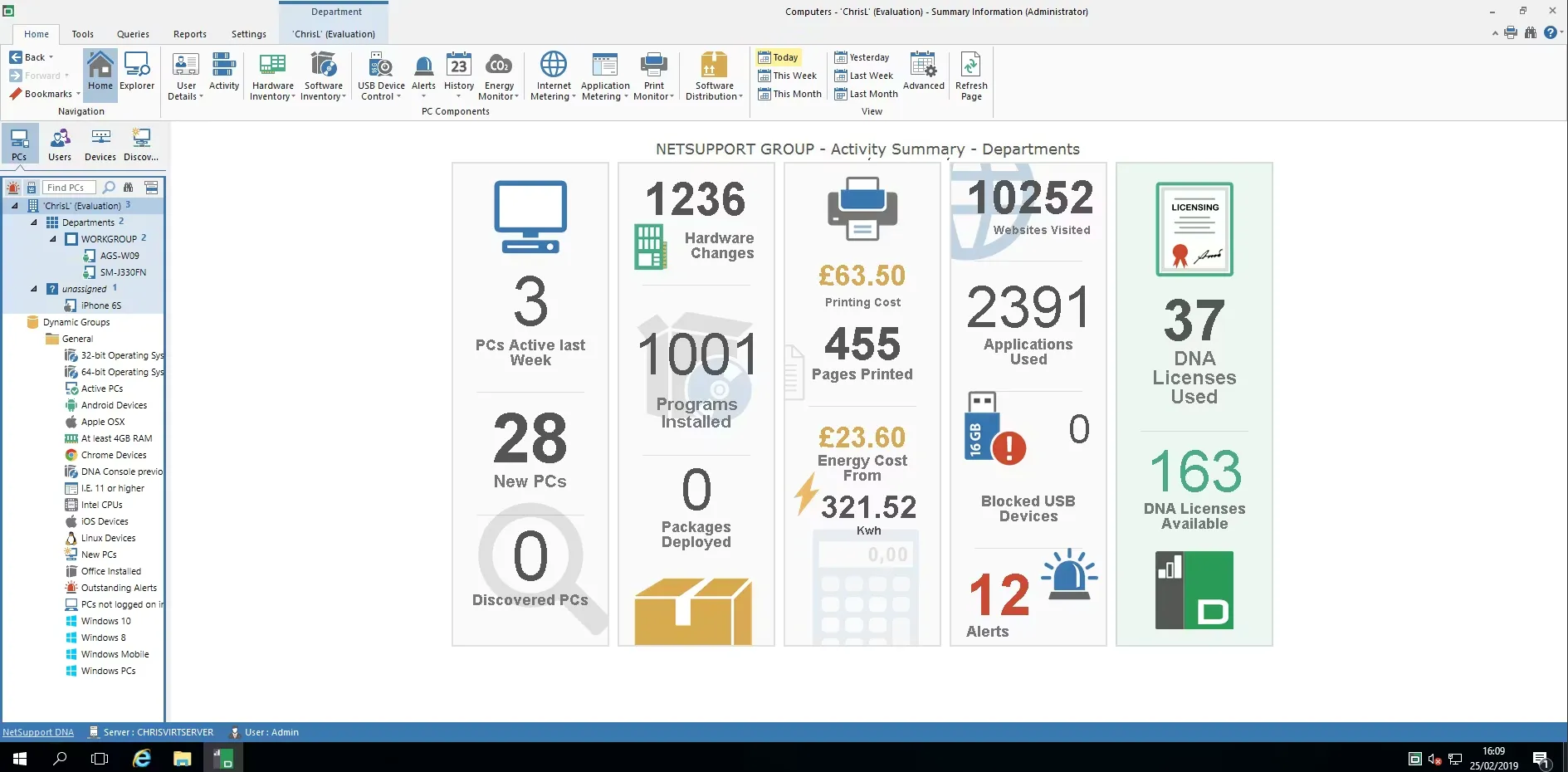
NetSupport DNA provides a number of features to support a school's e-safety policy from internet monitoring and keyword tracking through to full website metering, showing every website visited, the date, time and duration. This audit trail not only provides a key safeguarding tool for each school, it also helps identify areas where internet access might need to be restricted and can provide valuable information when reviewing available bandwidth requirements.

For added safety and convenience, DNS or IP addresses can be easily added to a school's Block or Allow lists enabling a school to easily create policy-based internet restrictions centrally from a single console location.

Internet Metering

School Alerting

NetSupport DNA features an extremely powerful Alerting module allowing the system to automatically notify operators when any number of changes occurs across the school network. Building on the DNA component set, the options for monitoring the school are extensive.

Alerts can be configured to be delivered to the DNA Console in real-time, via email or text message ensuring that key staff can be kept informed of any critical change, even when away from their desk. From new software being installed or USB devices being attached, to a PC falling below a minimum free disk space or a safeguarding keyword phrase being typed at a monitored device, NetSupport DNA is there to keep you informed at all times.

NetSupport DNA's Software Distribution component goes way beyond the automatic 'pushing' of software and updates. It allows a software package to be deployed manually or on a time and date in the future. Plus, you can restrict the delivery to PCs based on various qualifying factors such as minimum free disk space required, whether a PC is running on mains or battery power, if a user is logged on or if the product is already installed. All of which helps ensure that a PC is in a suitable condition to receive a software package and that the installation will be a success.

School Alerting

Software Distribution

NetSupport DNA provides a multi-delivery option for Software Distribution.

A software distribution package is created by either applying parameters to a collection of files or folders or by using a supported installer, such as Microsoft's MSI. Once created, packages can be delivered to selected devices with delivery options that include: immediate delivery, delivery at a future date and time, or scheduling to be sent at login or logout. The package can be manually deployed by the user from their DNA Agent if given access.

To help guarantee the success of a package deployment, NetSupport DNA's Software Distribution component includes a comprehensive list of qualifying factors and conditions.

Software Distribution

Energy Monitoring and Power Management

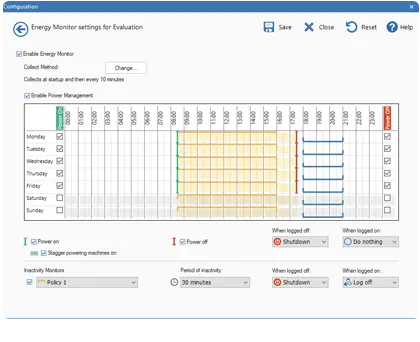
The Energy Monitoring module provides a simple and concise high-level summary of potential energy wastage across the school by office and classroom computer systems that are left powered on out of hours or when not in use.

The Power Management feature allows devices to be remotely powered on, shut down, restarted, logged off or put to sleep. Commands can be sent to PCs individually or to multiple PCs from within the DNA Console. Advanced power scheduling features enable schools to create rules that will ensure devices are powered off or put to sleep or standby, at set times.

For schools concerned about their green credentials, or simply wanting to reduce costs, the Energy Management module provides all the tools needed to support this.

Energy Monitoring

Endpoint Security

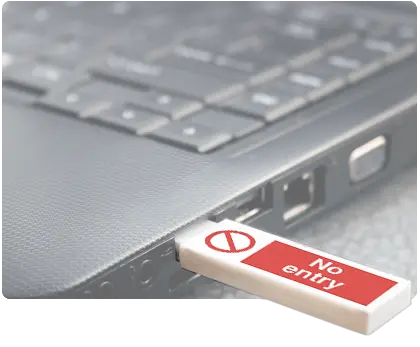
NetSupport DNA provides a simple and effective solution for managing the use of USB memory sticks to help maintain the security of the school network. The use of memory sticks can be controlled across the network; they can be allowed, blocked or made 'Read Only' per device. If required, individual memory sticks can be authorised based on their unique product ID.

If data is copied to a memory stick on a monitored device the Console operator can receive an instant alert together with an on-screen summary of the copied data.

In addition to managing memory sticks, DNA provides restrictions for CD/DVD drives, imaging devices, Bluetooth and Wi-Fi.

Endpoint Security

Real-time Monitoring

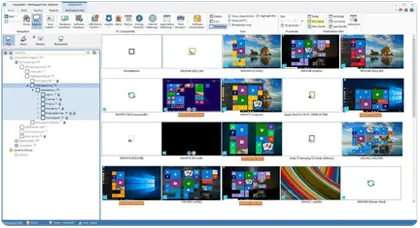
Gain a real-time summary of all your PCs using Explorer mode. Selected PCs can be viewed in three formats – Icon, Details or Thumbnail view – and these can be refreshed at time intervals of your choosing. This means that an operator can easily gauge PC activity across the school, identifying available PCs and those currently in use.

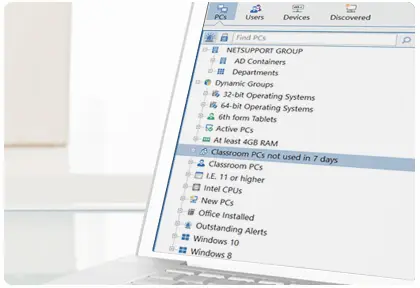
Using the main Tree view in the DNA Console, IT Staff can remotely connect to devices and provide remote support, view processes that are running on each device, view installed software, check hardware specifications and review USB history – all from a single pane of glass. Plus, the new 'Spotlight' feature highlights the websites and applications being used.

Real-time Monitoring

Desktop Utilisation

NetSupport DNA is designed to ensure you have maximum visibility of your school's assets, from the classroom to the ICT suite and the library. System reports highlight PC and application usage to ensure your technology assets are being utilised effectively.

Desktop utilisation reports indicate when a PC was switched on and when it was being actively used across an entire month. If a PC is underutilised, or not being used at all, you can use the Power Management features to ensure the PC is correctly managed or consider redeploying the device elsewhere.

Desktop Utilisation

E-safety

NetSupport DNA, together with its optional classroom management module, provides a range of features to support a school-wide e-safety policy. Within DNA, this includes both Internet Monitoring and Internet Metering, enabling schools to monitor and meter all internet activity across the network. Websites visited can be instantly viewed from the console, with full metering data providing an audit trail detailing the time, date and duration of every website visited.

DNA can also provide instant alerts if an unauthorised website is visited and can automatically block or allow access to sites based on 'Allow' or 'Block' lists created at the console. Access to the use of key applications and the Internet can be scheduled, allowing or restricting their use at selected times on selected days.

E-safety

Safeguarding

Safeguarding is a term which is broader than just 'child protection' and relates to the action taken to ensure the welfare of children and protect them from harm. With NetSupport DNA's safeguarding features, schools are given the tools they need to help identify potentially vulnerable students, as well as monitor any concerns they may have regarding student internet activity.

Using DNA's keyword monitoring feature, a library of keywords and phrases can be created and, if a match is detected, an alert is triggered at the console, providing the technician with a snapshot of the student's screen at the time of the alert. Alerts can also be stored for later review and for use as part of a school's audit trail.

Safeguarding
Internet Watch Foundation

Working with national organisations including the Internet Watch Foundation, Safeguarding Leads, Local Authorities, leading charities and undertaking "in-school" consulting with students across age groups, NetSupport has compiled an extensive keyword library which schools can use. The library covers eight key categories that could indicate an online safeguarding issue exists and has been created to make it as simple as possible for schools to implement a keyword monitoring strategy without potentially weeks of research and analysis.

NetSupport DNA is your eyes and ears, monitoring the school network. Within the keyword and phrase monitoring tool, if a phrase is detected, an instant alert is triggered at the console. This includes a thumbnail of the student's screen at the time of the alert together with a copy of the text entered. Alerts can be stored for later review and for use as part of a school's safeguarding and audit trail.

Report a Concern

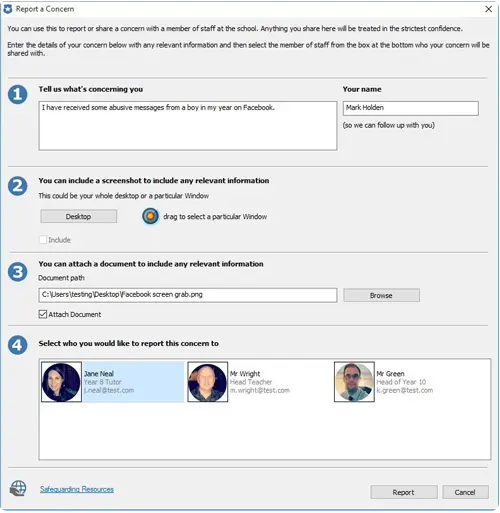
In addition to the comprehensive keyword library, NetSupport DNA's Safeguarding features include a discreet 'Report a Concern' tool. This allows students to click on an icon in their system tray at any time to report a concern regarding their own safety or that of another student. The details of the 'concern' are sent directly to the DNA Console operator for immediate follow-up. School administrators can also configure a student questionnaire that appears when a student clicks to make a report. This helps ensure that important details are not omitted and that students know that their concerns will be followed up on.

Vault

NetSupport DNA contains a secure Vault component, allowing secure storage of serial numbers, passwords or any other confidential IT data. Access to the vault can be restricted to specific console users and includes security features such as local authentication, Active Directory integration and two-factor authentication.

Vault

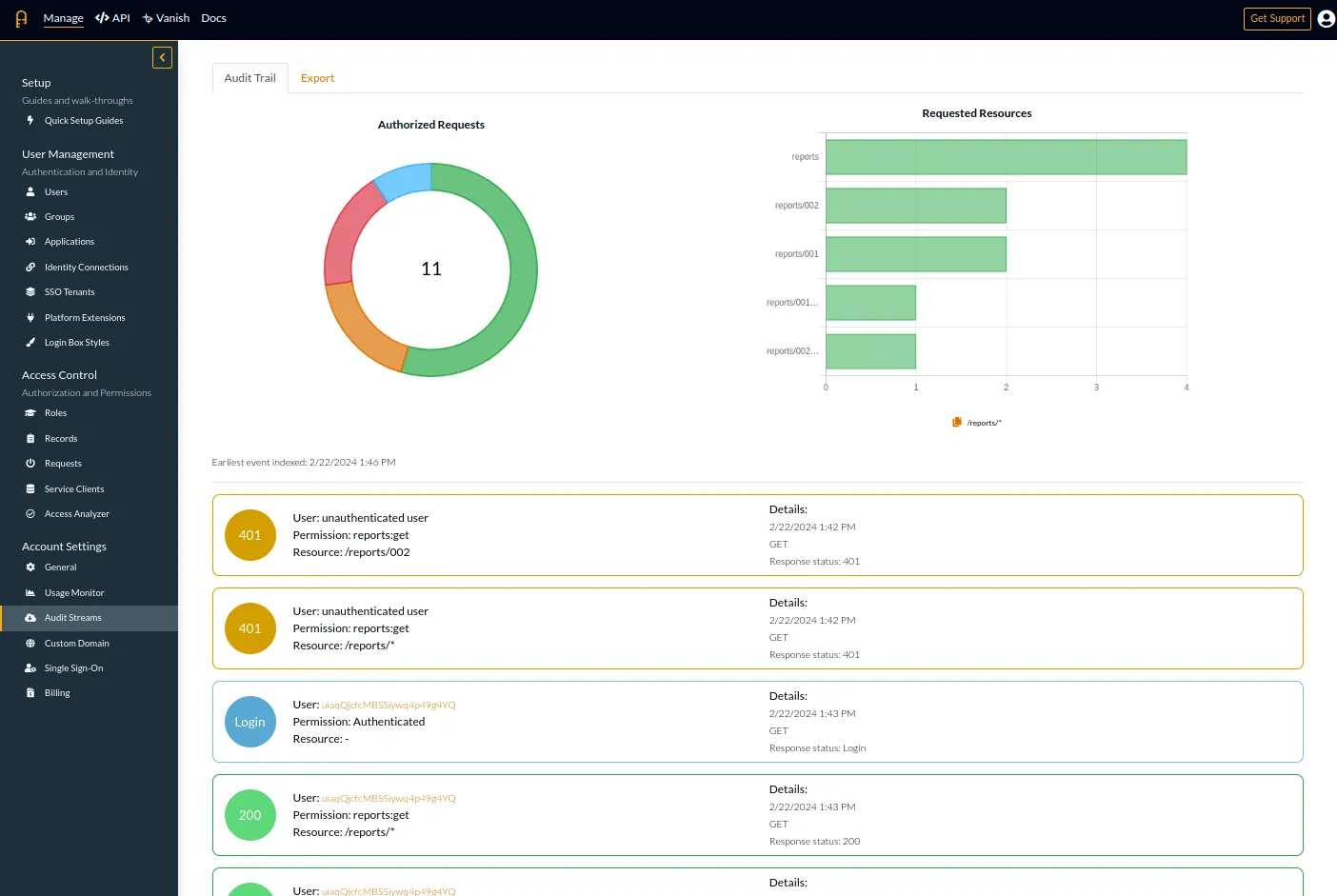
System Audit

NetSupport DNA includes a powerful Audit component, tracking all selected console activity by staff. The audit feature records when policies or settings are changed, entries are added or deleted or if user passwords are reset, providing a complete audit trail of changes.

System Audit

User Management

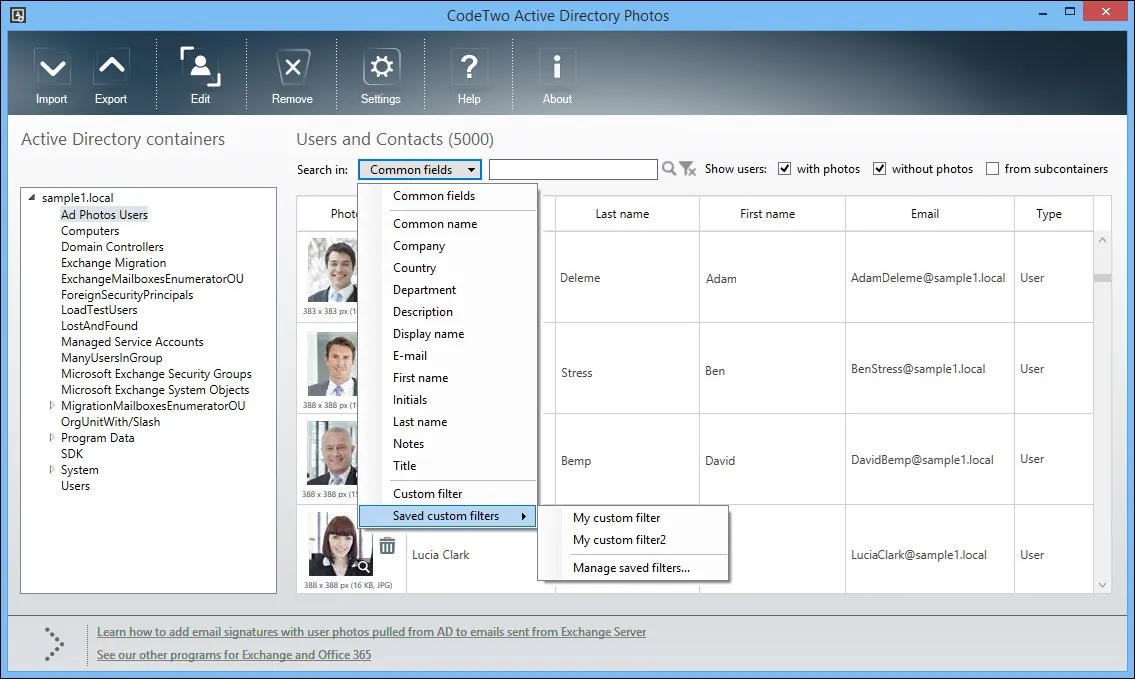
NetSupport DNA provides a range of features to locate and manage users within a networked environment. In addition to key user data (name, telephone etc) DNA provides the school with the ability to add custom fields to enable additional information to be stored against each user. A photograph can be added to each user profile and custom groups can be created, allowing users with common interests or requirements to be easily located.

User Management

Activity Monitoring

NetSupport DNA now provides a single time-based summary of all activity by a specific user, PC or department. Presented in a chronological view, it shows technicians what time the logon session began, when a specific application or website was used, any peripherals that were attached and when the session ended. Essentially, it's a single 'go to' view that brings together key activity data in a single time line, making it far quicker for technicians to trace and report on events relating to a specific asset, user or period.

Activity Monitoring

Spotlight Feature

Using Explorer mode, technicians can now use the Spotlight feature to help them see more details about a selected PC (e.g. any applications, services, websites and processes in use), all in a single visual view and in real-time without having to drill down to individual views.

Spotlight Feature

Profiles

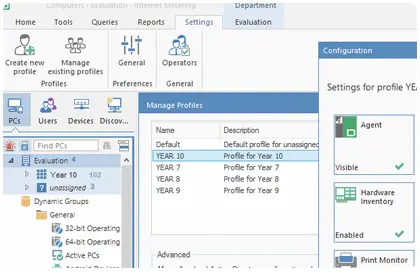
To provide maximum flexibility and to help save time, NetSupport DNA allows you to create multiple profiles for different groups of devices or users (i.e. year group or department level), each with its own unique configuration settings.

Settings can include restrictions on internet or application use, scheduled power management, logon control, security restrictions (such as whether a user can use USB devices, CD drives or Wi-Fi) – basically any setting that can be configured at a PC or user level in DNA.

Profiles

Logon Control

In addition to preventing students logging in on multiple devices, when required, a user can now be authorised to log on to multiple PCs at once (between 1 and 5). A useful feature for roaming students and staff.

Locate a User

NetSupport DNA allows anyone with a DNA agent installed on their machine (if the feature is enabled) to locate another logged-on user and then send them a message. This may be useful for staff members to locate and send a message to students or other members of staff.

Bookmarks

NetSupport DNA allows you to create and place bookmarks within the PCs, Users and Devices Tree views. This may be useful if you have a large or complex Tree structure, as it allows you to quickly navigate to frequently accessed items.

Custom Images

To help find users/items in the Hierarchy Tree view easily, you can apply custom images to departments, dynamic groups, PCs and Users.

Resetting Passwords

One of the most common issues for IT technicians is students forgetting their passwords. Now, teachers can take on the role of resetting passwords directly from the DNA Agent icon situated in their system tray, reducing the need for IT support.

DNA Console Administrator's Password

As an extra layer of support for the IT team, the master console password can now be easily reset internally, allowing the IT team to continue its daily tasks without disrupting productivity.

Efficiency View

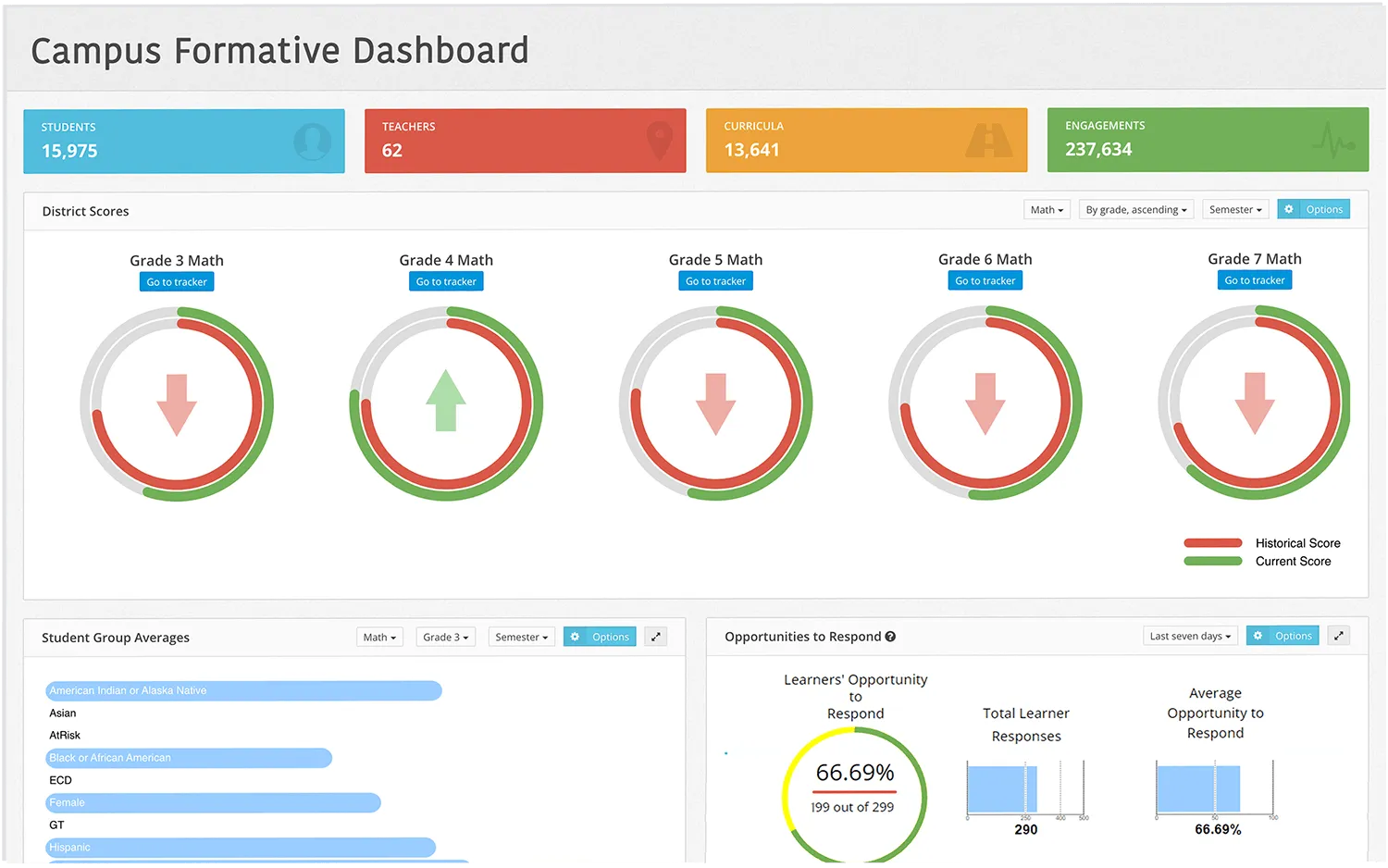
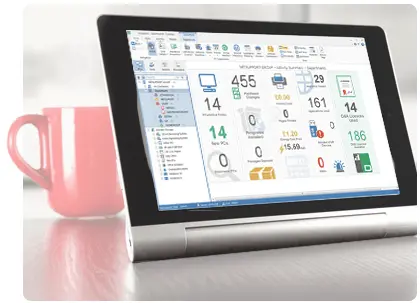
The Efficiency View helps schools to see at a glance if their technology is being used efficiently – helping to reduce any wastage. The unique dashboard highlights key areas of efficiency data, such as:

  • Number of unused PCs
  • Potential savings on energy
  • Potential savings on software licenses
  • Number of unused printers
  • Most and least used applications

Armed with this information, schools can see exactly how their technology is being used and the areas where efficiency can be improved to create cost and time-saving benefits. Plus, compiling this type of data manually would take a long time!

Efficiency View

Data Retention Policy

To help schools reduce the amount of data they store, a Data Retention Policy can now be set to delete data over 365 days old (default mode). The policy can be scheduled to run automatically at any defined interval.

Enforce Acceptable Use Policies

Acceptable Use Policies (AUP) form an integral part of the key information security policies used by most schools. It is common practice for new staff and students to sign an AUP before using school computers and the Internet. DNA allows a school's own AUP to be displayed and acknowledged before access to school resources is granted.

Print Monitoring

NetSupport DNA includes a high-level Print Monitoring feature. Individual printers across the school are automatically identified and, from the central console view, costs for printing (black and white and colour) can be configured. DNA will then track and report on the number of pages printed to each device together with cost per page and total cost per printer.

Enterprise Reporting

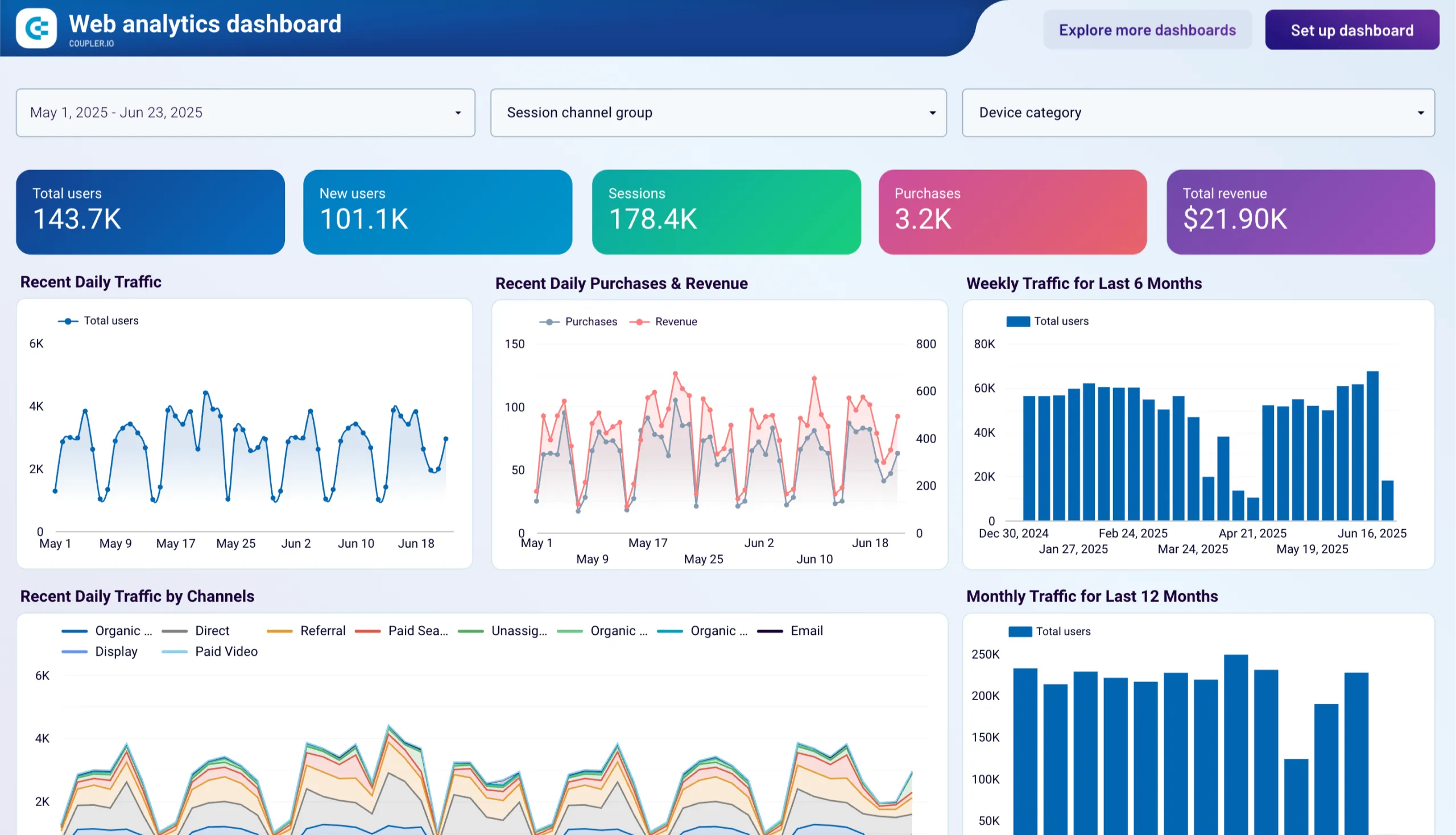
NetSupport DNA provides both on-screen and print-optimised reporting. The on-screen reports / views are provided with supporting bar and pie charts and "live" drill down capabilities on all key summary reports and views. Print-optimised reports are compiled as PDF documents and can be scheduled to run and deliver via email at any time.

Reports can be generated on hardware and software inventory, software and internet metering, power management, print monitoring, USB history and more – providing schools with all the information needed for asset audits and compliance management.

Enterprise Reporting

Mobile Inventory

With NetSupport DNA's mobile inventory feature, schools can track iOS and Android devices connecting to their network. DNA will capture and report on key device information including device type, OS version, and network details, helping schools maintain visibility of all devices accessing their infrastructure.

Mobile Inventory

ServiceDesk (optional with additional cost)

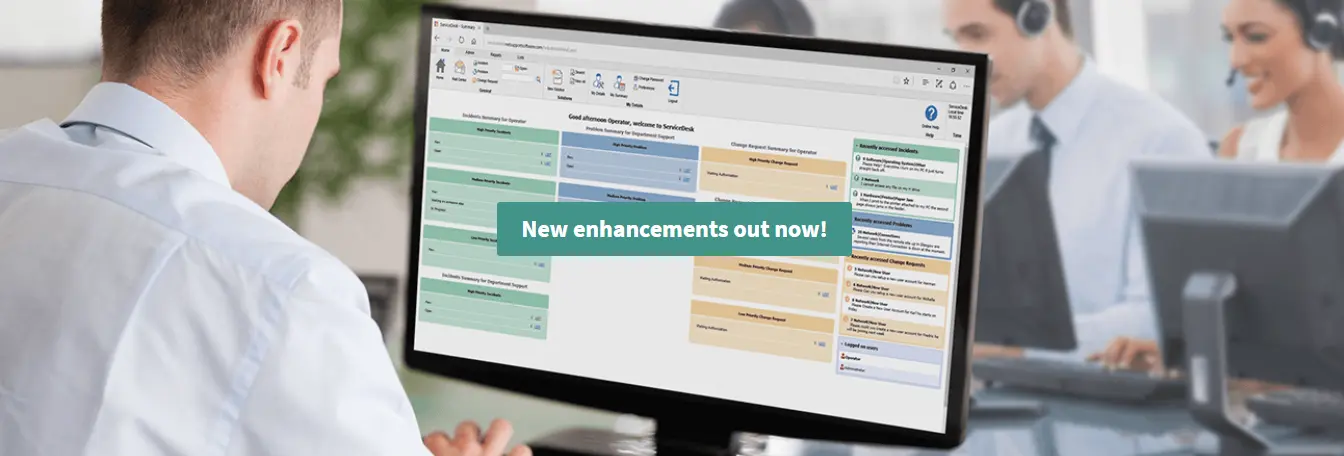
Designed to integrate with NetSupport DNA or operate as a standalone solution, NetSupport ServiceDesk ticks all the boxes as a fully functioning ITIL-compliant IT Service Management (ITSM) tool, supporting the key areas of ITIL's best practice framework – Incident, Problem, Change and Service Level Management. Used with NetSupport DNA and our remote access solution, NetSupport Manager, support teams have a complete network management toolkit.

NetSupport ServiceDesk can be accessed through a web browser by any user from their desktop or mobile device and allows for the customisation of many key features within the solution. From operator functionality to the creation of specific data entry fields, it can be tailored to fit seamlessly into your organisation.

Powerful and customisable workflow rules help ensure delivery of an efficient and timely service in line with agreed service levels, automated email processing helps deliver further time savings and, with NetSupport ServiceDesk's customer-friendly self-service portal, users are able to search for answers before even logging a support request.

Click here to read more.

NetSupport ServiceDesk

Category: Netsupport

Muntada Group > Products > Netsupport
NetSupport School – Award-Winning Classroom Management
NSS background
Award-winning EdTech

Classroom Management
Reimagined for
Modern Learning

NetSupport School is a class-leading training software solution, providing teachers with the ability to instruct, monitor and interact with their students individually, as a group, or the entire class.

15+ Platforms Supported
30+ Years of Innovation
Award Winning Software
NSS v15 - Latest News
🏆
Award Winning Classroom Software
Supported Platforms NSS Multi-Platform Support — Windows, Mac, Chrome, iOS, Android
Tablet in Classroom

Complete Classroom Control at Your Fingertips

Combining advanced classroom PC monitoring, real-time Presentation and Annotation tools, with an innovative customised Testing suite, Internet and Application control, automated Lesson Plans, Printer Management, Instant Messenger control, Content Monitoring and Desktop Security — NetSupport School rises to the challenge of today's modern classroom.

Download Free Trial

Why NetSupport School?

01
Audio Monitoring
Monitor the entire class in a single view. Visual indicators show instantly which PCs have live audio activity. The Tutor can listen in and record Student audio output.
02
Room-Based Start-Up
A new default "Room" based start-up mode for the Tutor rationalises the first-time start-up process to simplify installation and ease deployment for new users.
03
Student Resources Hub
Students easily access lesson resources. The Tutor creates resource lists with links to websites, applications and documents, displayed in the Student Toolbar for quick access.
04
Accelerated Performance
The new Accelerate Browse configuration option dramatically improves browse and connect performance across the entire classroom network.
05
Flexible Thumbnails
Student Thumbnails can now be sized using a flexible slide-bar enabling better use of available space. Thumbnails can also be viewed full-screen by pressing F11.
06
Terminal Server Support
Simplified Terminal Server installation and support. No longer necessary to use a separate utility to generate individual TCP/IP port configuration files.

YES, We Would LOVE To Show How It Works!

Awards & Testimonials

NetSupport School has been recognised with prestigious awards year after year for its innovation and impact in educational technology.

NSS Awards

Ready to Transform Your Classroom?

Category: Netsupport

Muntada Group > Products > Netsupport

NetSupport ServiceDesk – Browser-based Helpdesk

Technology plays a vital part in any organisation’s success – and at the heart of any reliable and effective IT environment is the helpdesk. 

Easily integrated into your existing IT infrastructure, NetSupport ServiceDesk delivers the processes needed to help you effortlessly track, organise, manage and answer the toughest support challenges. Its fully customisable and intuitive browser-based interface supports both desktop and mobile platforms and delivers robust workflow processes. It also supplies a wealth of management reports as well as providing a customer-friendly self-service portal – all the tools needed to help technicians deliver support effectively..

Features

With the server installed on any Windows PC and utilising Microsoft SQL Server technology, you can access NetSupport ServiceDesk  through a web browser from your desktop or mobile device, helping to minimise the amount of system downtime whilst providing effective support for all users of IT assets.

Suited to any type of organisation, regardless of its size, NetSupport ServiceDesk supports the key areas of ITIL’s best practice framework: Incident, Problem, Change and Service Level Management. It also has the added benefit of integrating easily with our IT Asset Management (ITAM) suite, NetSupport DNA, and remote access solution, NetSupport Manager, to give support teams a complete network management toolkit.

Education sector

In recent years, education has invested massively in technology – both in and out of the classroom. Providing effective support for users of IT assets is therefore high on the agenda for the modern school, college or university. The days when logging an incident relied upon bumping into the “IT guy” in the corridor are long gone; today a much more sophisticated approach is needed!

From the developers of the award-winning classroom management tool, NetSupport School, NetSupport ServiceDesk responds to your daily support challenges by providing the processes needed to help you minimise downtime of your critical classroom and back office systems – all wrapped in an intuitive and easily accessible browser-based interface.

 Time saving

  • Staff/Teachers can log incidents online and review current status in real time.
  • Teaching staff receive a quicker resolution to incidents.
  • Staff can search for a solution before logging an incident.
  • Staff can access pre-populated incident templates.
  • Automated handling of incoming/outgoing emails.

 Custom solution

  • Customisable interface to fit with your school’s requirements.
  • Customised Operator functionality.
  • Automated notifications based on pre-defined rules.
  • Create custom status reports.
  • User management including Active Directory integration.

 Improve efficiency

  • Technicians have a prioritised fault list.
  • Link related items to avoid duplicated effort.
  • Assign incidents to a specific technician based on pre-defined rules.
  • Automatic escalation processes.

 Information delivery

  • Full history of supporting notes attached to each incident with source identifiers.
  • Powerful reports dashboard supported by a range of pre-defined or custom management reports – tabular and graph format.
  • When used in conjunction with NetSupport DNA, school technicians can retrieve a real-time hardware/software inventory from a target PC to aid in problem resolution.

Corporate sector

With a 31-year development pedigree and an installation base of eighteen million systems, NetSupport’s innovative solutions are trusted by corporate service desks worldwide to aid in the day-to-day management of their IT infrastructures and, of course, to help maintain a healthy relationship with their customers.

Supporting the essential ITIL processes (Incident, Problem, Change and Service Level Management) NetSupport ServiceDesk simplifies and streamlines the IT support process – from initial request to final resolution, ensuring your support team can effectively manage customer expectations and minimise the amount of system downtime. It also integrates easily with NetSupport DNA (IT Asset Management) and NetSupport Manager (Remote Control) to give support teams the perfect mix of compatible network management tools.

With a fully customisable and intuitive web-based interface that supports both desktop and mobile platforms, robust workflow processes, a wealth of management reports and a customer-friendly self-service portal, NetSupport ServiceDesk is guaranteed to take the strain out of service delivery!

 Time saving

  • Intuitive browser-based console simplifies support desk management.
  • Clearly defined ownership of issues, leading to faster problem resolution.
  • Automate repetitive helpdesk tasks.
  • Simplify incident logging with pre-populated service request templates.
  • Active Directory synchronisation for effective ongoing user management.

 Custom solution

  • Add custom data fields to fit with your organisation’s specific requirements.
  • Customised help request logging.
  • Customised Operator functionality.
  • Create custom status reports.

 Improve efficiency

  • Technicians have a prioritised fault list.
  • Link related items to avoid duplicated effort.
  • Assign incidents to a specific technician, based on pre-defined rules.
  • Automatic escalation processes.
  • Automated incoming/outgoing email processing.
  • Customer-friendly self-service portal reduces volume of reported issues.

 Information delivery

  • Powerful reports dashboard supported by a range of pre-defined or custom management reports – tabular and graph format.
  • Full history of supporting notes attached to each incident with source identifiers.
  • Use in conjunction with NetSupport DNA to retrieve a real-time hardware/software inventory from a target PC to aid in problem resolution.

Customise NetSupport ServiceDesk

NetSupport ServiceDesk allows for the customisation of many key features within the solution so it can be tailored to fit seamlessly into your organisation. From operator functionality to the creation of specific data entry fields, NetSupport ServiceDesk can be tailored to fit seamlessly into your organisation.

  • Custom Data Designer allowing for customised data fields.
  • Profiled Operator access and customised functionality.
  • Streamlined creation of a solutions database to aid future help requests.
  • Use the intuitive design tool available to administrators to add custom
  • data items to records.
  • Custom report designer.
  • Personalised “Home” page based on each operator’s individual
  • requirements.
  • Personalised “Exit” pages.
  • Multi-lingual user interface.

Category: Netsupport

Muntada Group > Products > Netsupport
NetSupport Notify

Desktop Alerting Solution

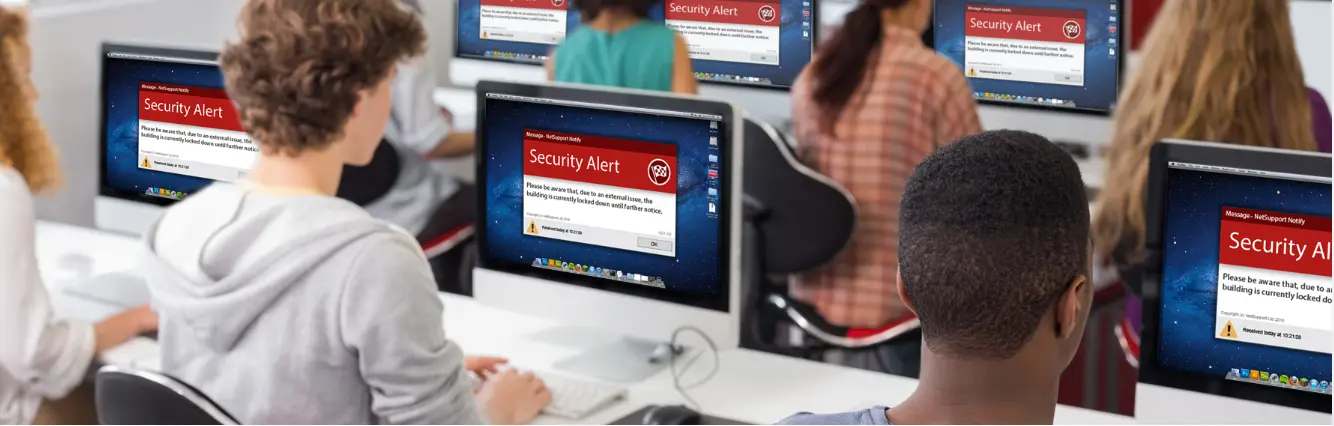
Schools are fast realising the benefits of using mass notification solutions such as NetSupport Notify to boost school communication and support their emergency and lockdown procedures.

Using NetSupport Notify, schools can communicate effectively with staff and students using one-way alerts and notifications – sending them to desktop users and large information panels in halls and foyers. Alerts automatically take screen focus, meaning they can’t be hidden, ignored or saved for later (even on locked screens). The notifications can even be targeted to select groups and scheduled for maximum impact.

Key features:

  • Send alerts to unlimited number of users/sites
  • Flexible delivery options and scheduling
  • Full reporting and tracking
  • Multi-platform support
  • Customise alerts with your branding
  • Apply priority levels to alerts

Key benefits:

Emergency and lockdown communication

NetSupport Notify can be a vital communication tool during a school’s emergency and lockdown procedure and some integrate it as an official part of their emergency plans, due to its ability to send a clear and concise message or instruction (maximum 1000 characters) to all connected computers – across multiple platforms, specific users/devices or selected departments. The delivered message automatically takes screen focus on recipient computers and can be accompanied by an audible alert to ensure attention is gained.

If there isn’t time to type a lengthy message, the sender can create and use a ready-made “emergency response” alert, and send it from the office or on the move with our dedicated mobile apps.

Evidence of acknowledgment
Each message can carry a priority level from routine student/staff communication to technical alerts or even a critical emergency – and a request for acknowledgment. All delivered messages are recorded centrally with full delivery/receipt logging and the ability to export a summary for future analysis
Save time

Not only does NetSupport Notify send messages to selected/all staff and students in a single action (across multiple platforms), and with its screen presence, users can’t ignore the message – and saving precious time in the case of more urgent alerts. It also allows recurring events to be scheduled in advance for a fixed time and date – hourly, daily, weekly, even every “xx minutes”.

Plus, it does not require regular management of contacts, making it a quick and easy solution to use

Category: Netsupport

Muntada Group > Products > Netsupport
Netsupport Manager home screen

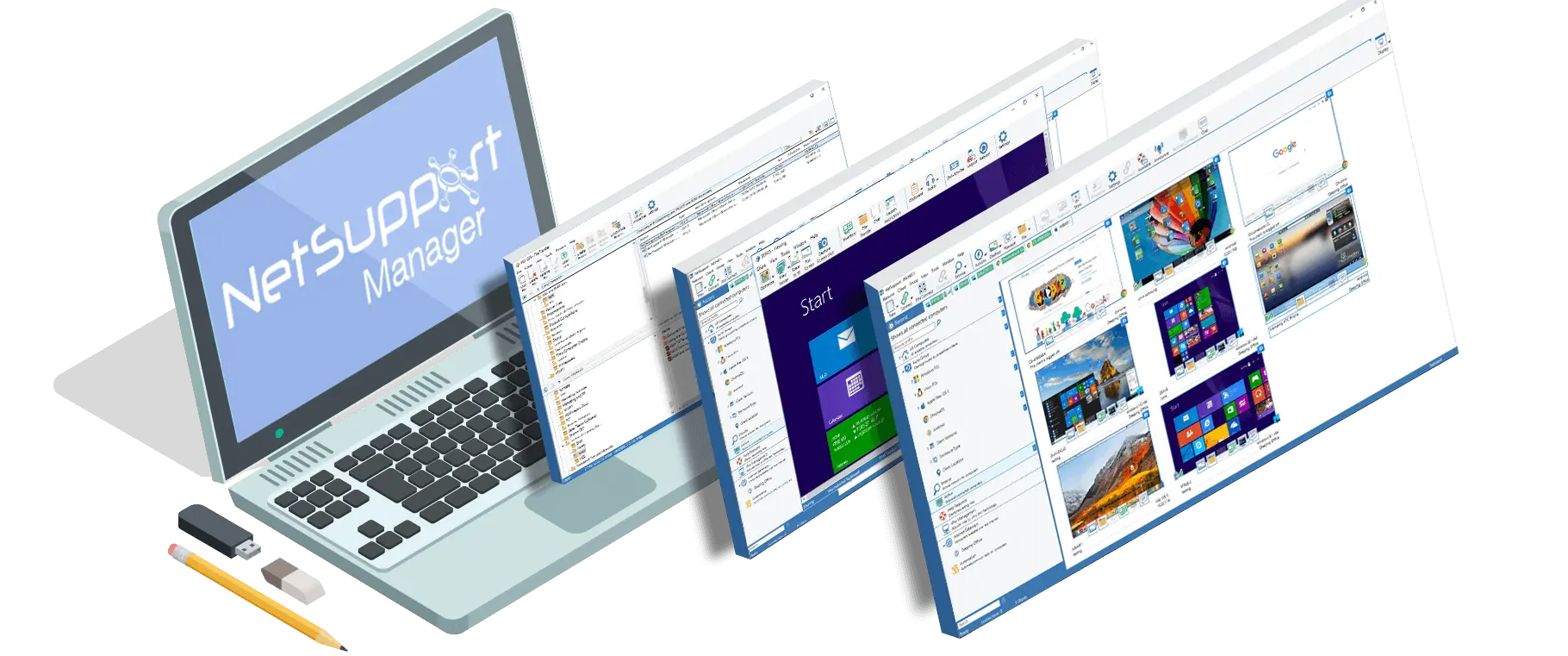
NetSupport Manager continues to deliver the very latest in remote PC support and desktop management capabilities. From a desktop, laptop, tablet or smartphone, monitor multiple systems in a single action, deliver hands-on remote support, collaborate and even record or play back sessions. When needed, gather real-time hardware and software inventory, monitor services and even view system config remotely to help resolve issues quickly.

Designed to operate over your LAN, WAN or the internet, securely and without the need for firewall configuration, NetSupport Manager provides a single solution for remote support – without the need for a third party service or ongoing subscription costs. Adding to traditional 1:1 remote control capabilities, NetSupport Manager excels as a 1:many solution; from monitoring multiple systems in real-time, to showing the operator screen to multiple recipients for training, to file distributions across the network.

Over 23 years’ development and 12,000,000+ PC install base = Industry recognised, the most stable, feature rich and secure Remote Control solution available.

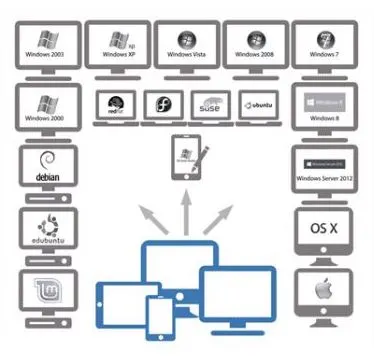
NetSupport Manager provides the ability to support Windows, Mac, Linux and mobile devices all from a single console. Designed to operate over your network, via mobile communications or the internet, securely and without the need for firewall configuration, NetSupport Manager provides a single solution for remote support. Adding to traditional Remote Control capabilities, NetSupport Manager also provides a range of supporting tools to aid in support, including dynamic Hardware and Software Inventory reports, Systems Management tools, screen in real-time to any number of connected systems as an integrated training

NetSupport Manager multi platform support
Netsupport Manager v12.8

Multi-platform support both for the multi consoles and also the clients

Supported Platform
NetSupport Manager Supported Platform

Product Overview

The IT enterprise continues to expand and evolve with the boundary between LAN, WAN and truly mobile now an almost seamless transition. As our dependency on technology grows, so does the operational impact of system downtime, or simply the time lost by not having instant access to key systems.

NetSupport Manager continues to offer a unique proposition for desktop remote control. One solution – available from your desktop, laptop, tablet or smartphone – that allows seamless and secure access to workstations and servers across your enterprise, both locally when in the office, and remotely when on the move.

NetSupport Manager provides all components as standard, including a unique “connectivity server” that can be deployed in minutes if you want remote support away from your WAN without boundaries, cutting edge mobile apps available to download for free from the Google and Apple app stores, and one clear proposition…

A one-time purchase for use across your enterprise; a one-time purchase for a permanent lifetime licence; a solution that doesn’t require you to use or send your data via third-party servers, doesn’t need remote hosting and doesn’t charge you again and again with annual subscriptions.

Think Remote Control and you may think simple access to a remote PC screen; think NetSupport Manager and enjoy true multi-platform remote control, file management, inventory management, PC diagnostics, audio and screen collaboration, interactive training tools, geolocation and much more.

Think Remote Control and you may think one-to-one; with NetSupport you can monitor and view dozens of devices in a single view, automate activities, group by location, platform, device type and so much more. That’s why, after 20 years of evolution, NetSupport remote control technology is now deployed on over 12 million computers around the globe.

Please see our features page from the menu above for our key highlights, then review a full list of features available for each platform and finally, download a free 30 day fully-featured evaluation copy to see the NetSupport difference.

NetSupport Manager 12 is available fully localised in English, French, German, Spanish, Italian, Dutch, Brazilian Portuguese, Japanese, Chinese and Polish. NetSupport Manager is consistently voted ‘best of breed’ by the leading IT publications.

Main

Mobile

Mac

Linux

Chrome

Screen-shot Gallery

Malaysian Customers

New features and enhancements 

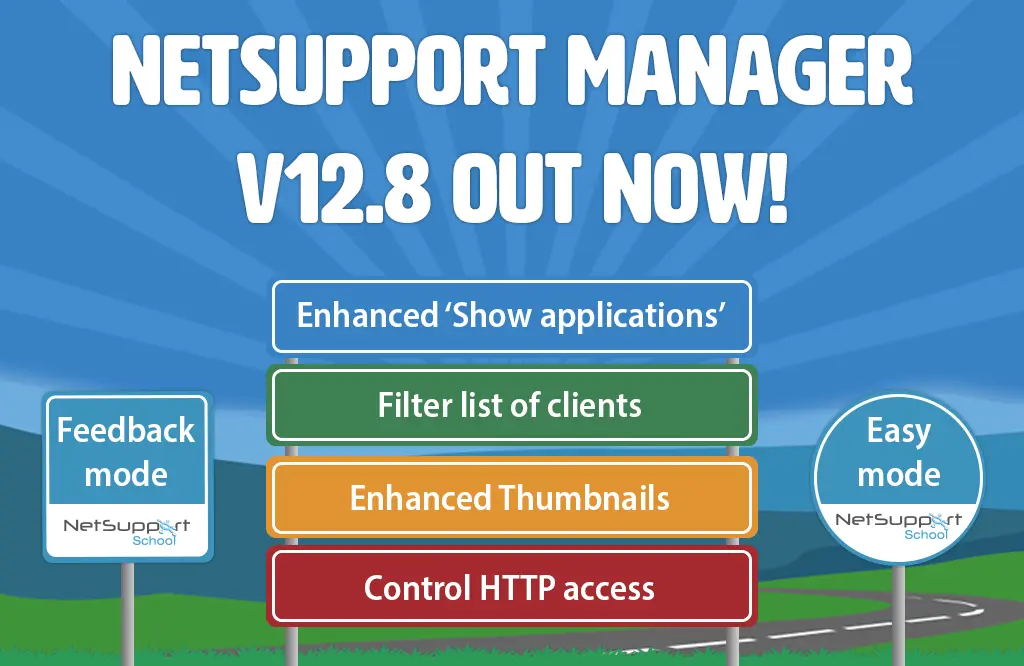
NetSupport Manager v12.8 includes:

Showing applications
When showing an application to an end user, you can now select to display the application in a separate window (via Display Mode setting), allowing the end user to continue using their own screen as normal – helping to maintain productivity levels.

When showing applications on multiple screens to an end user, the screens are now compressed to display the whole desktop, providing the end user with an accessible view of the applications.

HTTP access
To enhance the Gateway’s security even further, NetSupport Manager now includes the option to control HTTP access based on the person’s IP address.

Filter list of clients
To help find and connect to clients quickly and efficiently, IT teams can now filter the Gateway’s list of clients by name, username, address and description.

Thumbnail view
The thumbnails of connected devices (displayed in the Control) have been further optimised to improve performance.

Feedback mode*
NetSupport School (provided free within NetSupport Manager), provides a great way to capture feedback, such as during a school lesson or staff training session, to check everyone has understood the topic or to gauge the general mood of the class.

The teacher/trainer can choose from several visual indicators to gauge feedback from the class. Once the option has been selected, a dialog box opens to allow a question to be entered and sent to the class. The chosen visual, along with the question, will then appear on the PCs of each member of the class so they can make their selections.

All the feedback results are reported back to the Console in two formats: a list-style report (showing each individual’s feedback) enables the teacher/trainer to drill down into each person’s mood or understanding – or a chart view, which helps them to see general mood or understanding at a glance.

*This feature requires the free NetSupport School components (providing classroom instruction/training features), available from the NetSupport Manager installer package.

Easy mode*
NetSupport School (provided free within NetSupport Manager) now includes three modes for using the Console’s user interface: Easy, Intermediate and Advanced – helping ensure its features and functions are accessible to all users, regardless of their tech experience and knowledge. The new ‘Easy’ mode allows technology-shy instructors to only see and use the basic core tools, supporting simplicity and ease of use.

Easy mode’s tools include:

  • Lock/Unlock
  • Blank screens
  • Power on PCs
  • Message end users
  • Feedback mode
  • Block all internet
  • Help requests
  • ‘Mute Audio’ at client
  • Lesson Timer

The ‘Intermediate’ mode (previously known as ‘basic’ mode) includes a few more frequently-used tools – and Advanced mode offers all the features and functions available in NetSupport School.

*This feature requires the free NetSupport School components (providing classroom instruction/training features), available from the NetSupport Manager installer package.

NetSupport Manager v12.7 includes:

A few extra features and enhancements have been added to the latest version of NetSupport Manager.

  • An update to the Print Capture functionality has been added to support capturing to PDF and XPS files.
  • Updated support tool to provide stats for Gateway performance.
  • Integration with ClassLink OneRoster (requires NetSupport School), providing more flexible connection methods.

NetSupport Manager v12.5 includes:

New Client app for Android
TheAndroid Client app enables existing Control users of NetSupport Manager v12.50 to remotely connect to Android client devices (Android 4 or later) for enhanced real-time interaction and system support whilst on the move.

Now, IT technicians (Control users) can connect to an Android device via a PIN; a feature that allows seamless and secure connectivity between the Client device and Control simply by sharing a matching code. In addition, the Control and Client can carry out either a one-to-one text Chat session, or, alternatively, the Client can join an existing Control-initiated group discussion to sort out any remote support challenges.

To further aid problem solving, screenshots from the Android Client’s device can be taken during a Control session – plus, files can be quickly and easily transferred to and from the Client device, for total flexibility and ease of working.

The NetSupport Manager Android Client app can be used with existing NetSupport Manager 12.5 licences and is available from the Google Play store.

New PowerShell feature
Launch a PowerShell window to quickly and easily execute PowerShell commands at a selected Windows client.

New deployment enhancements
Send a Wake-on-LAN Windows command to machines that are not turned on and quickly locate machines local to the Control.

Enhanced file transfer and distribution speeds.

Enhanced performance on the ‘View and show’ mode on Windows 8 and above.

Enhanced Inventory process monitoring section in Windows. New information such as the process ID, number of handles and objects are now included, along with real-time statistics showing percentage increase/decrease in, for example, process memory usage.

Version 12 summary:

Take a look at the new features and enhancements in our latest version NetSupport Manager v12.

Category: Netsupport

Muntada Group > Products > Netsupport
Muntada has been NetSupport Ltd UK distributor for Malaysian region since 2006. To date, NetSupport School (the most popular NetSupport product) has been widely deployed in Malaysia and also Brunei.
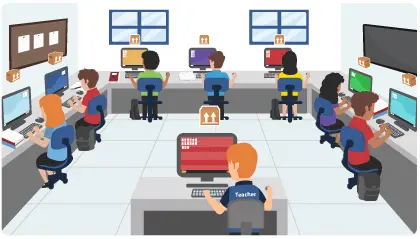
NetSupport products are available in over 90 countries worldwide and currently support over 20 million desktops, servers and mobile devices. The latest evolution in Remote PC support and desktop management. Monitor multiple systems in a single action, deliver hands on remote support or interactive training. Gather real-time inventory and system data. NetSupport Manager provides the ability to support Windows, Mac, Linux and mobile devices all from a single console.

Would you like to have a free live demo session?

small_c_popup.png

Request a call back